Quick answer: one reminder per habit, placed at a moment when you could actually do the thing, reviewed after a week. A reminder you dismiss without reading has stopped being a reminder and started being noise — delete it or move it.
There is a moment every habit app user recognises. The notification arrives, your thumb swipes it away before your brain finishes reading the word, and half a second later you could not say which habit it was about.
That is notification fatigue, and it is not a discipline problem. It is what happens when alerts stop carrying information. The fix is fewer of them, better placed — not a louder tone.
One reminder per habit, and mean it
The free plan in Habit Tracker gives every habit exactly one reminder time, with sound and vibration, at any hour you choose. That constraint is closer to the right answer than most people’s instinct.
A second reminder for the same habit is an admission that the first one is in the wrong place. Usually it is: the alert lands during a commute, in a meeting, or at the precise fifteen minutes when the kitchen is chaos. Rather than moving it, people add another. Now both get dismissed, and the habit has trained you twice over.
Move it instead. The reminder should arrive slightly before the natural moment for the habit, not during it and not after it has passed.
Attach the time to an anchor, not to a round number
07:00, 12:00 and 20:00 are popular reminder times because they are tidy, not because anything happens then. A better time is one or two minutes after something that reliably occurs: the kettle switch, the end of the school run, closing the laptop lid, putting the plate in the sink.
If you are not sure what those anchors are in your day, a simple morning routine and a simple evening routine are both built around finding them.
Write the reminder as a first move
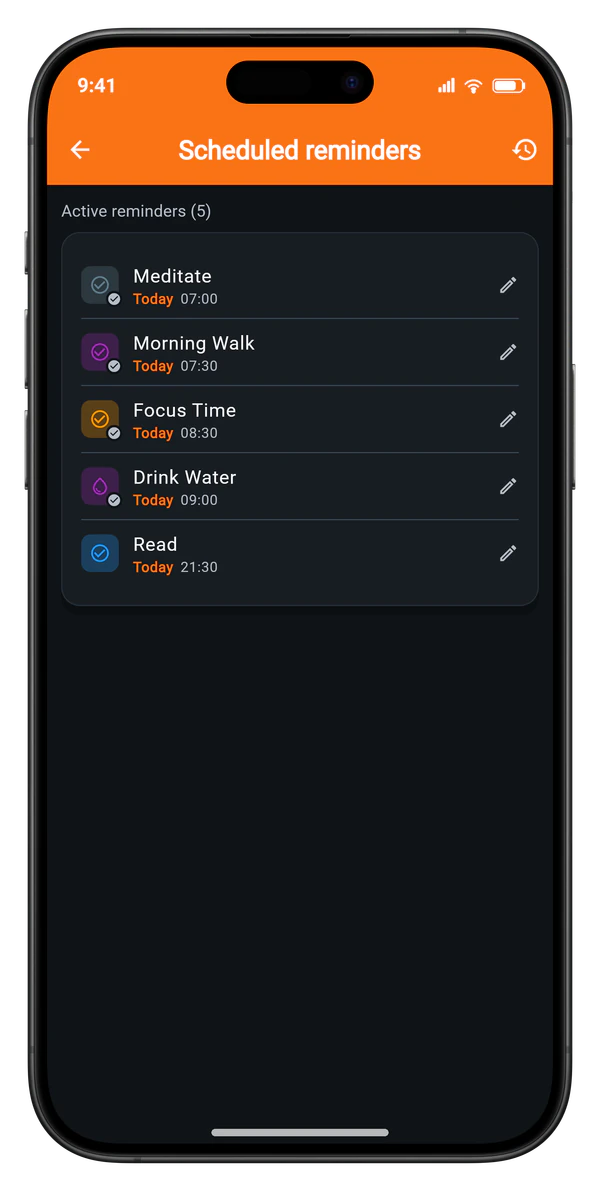
A reminder that says “Exercise” invites a negotiation with yourself. A reminder that names the first physical action does not: put the shoes by the door, open the book, fill the bottle.
This is the difference between an alert that makes the habit feel heavier and one that makes it smaller. The whole job of the notification is to get you past the first ten seconds, and the first ten seconds are always physical.
Review the list every few weeks
Habits graduate. A reminder that was essential in week one is often redundant by week six, because the habit has attached itself to the anchor and the anchor does the reminding.
Ask three questions about each one. Does it lead to the action, most of the time? Does it arrive when you are able to act? And would anything break if you deleted it today? A reminder that fails the first two and survives the third has been sitting in your notification budget for nothing.
Deleting it is not backing away from the habit. It is removing a piece of furniture you stopped using.
When the advanced options earn their place
Habit Tracker’s Premium reminder features exist for specific failure modes, not as a general upgrade. Each one answers a problem you can name.
What each option is for
Quiet hours are for people whose habits sit near bedtime and who do not want a 22:45 alert waking a sleeping household. Streak protection fires one extra nudge two hours after the first, only on habits with a streak of seven days or more, and only if you have not checked in — it is aimed squarely at the busy day that would otherwise break a long run. Smart time suggestions watch when you actually complete a habit, and once there are at least five completions they propose moving the reminder to that time.
Fix the timing before adding machinery
The full breakdown, including which parts are free, is on the reminders and streak protection page. But the order matters: fix the timing first, then add machinery. A habit you keep abandoning and restarting does not need a fourth alert; it needs a comeback plan.
What a good setup looks like after a week
Jonas adds a reading habit with a reminder at 22:00, because that is when he intends to read. For four evenings the alert arrives mid-episode and he swipes it away. On Sunday he checks the app: two completions, both logged near 23:15.
He moves the reminder to 23:00, changes the wording to “open the book”, and leaves everything else alone. The next week produces five completions. Nothing about his motivation changed — the notification simply started arriving at a time when the answer could be yes.
That is the entire method: one reminder, anchored to something real, phrased as a first move, and adjusted once you have a week of evidence. The best reminder is not the loudest one. It is the one you stop needing.